

The Integrations tab allows you to connect your AI agent with external services, APIs, and platforms to extend its capabilities and automate workflows.Documentation Index
Fetch the complete documentation index at: https://docs.monobot.ai/llms.txt
Use this file to discover all available pages before exploring further.
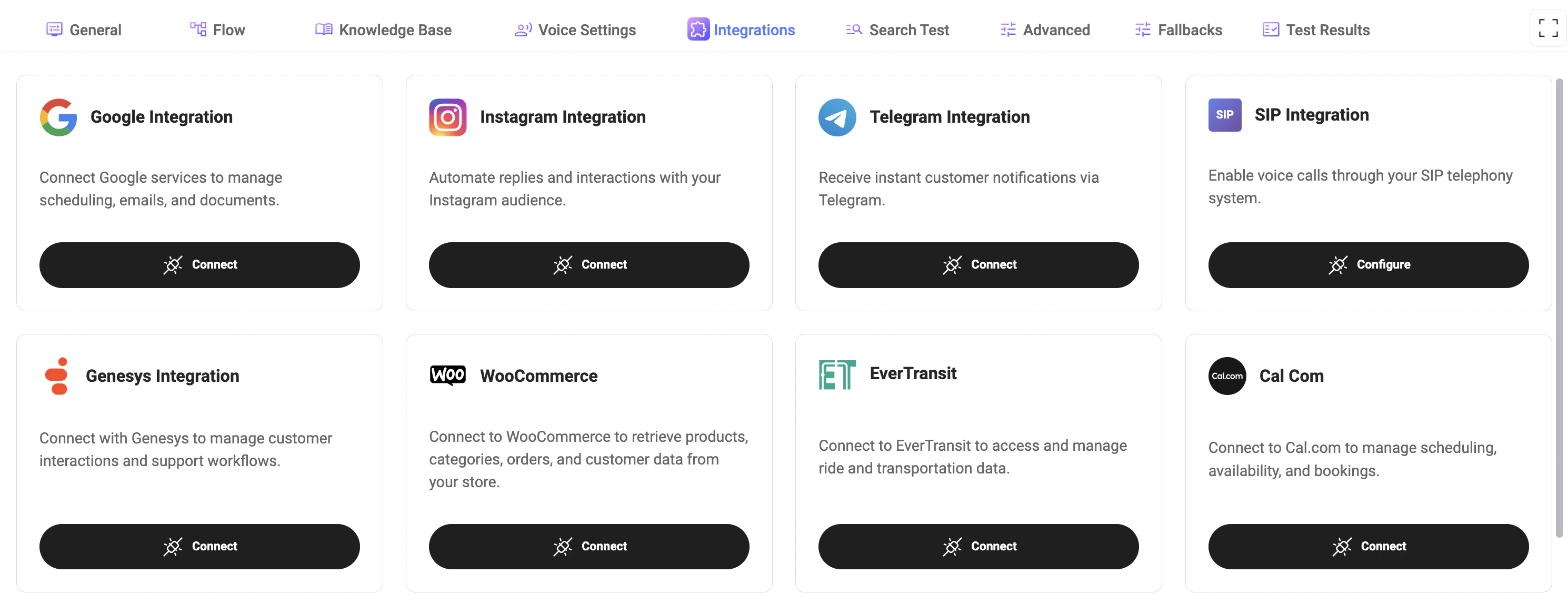
Available Integrations
You can connect a variety of services to enable different features:- Google: Manage scheduling, emails, and documents.
- Instagram: Automate replies and interactions with your audience.
- Telegram: Receive instant notifications and interact with users.
- SIP: Enable voice calls through your telephony system.
- Genesys: Manage customer interactions and support workflows.
- WooCommerce: Access products, orders, and customer data.
- EverTransit: Manage ride and transportation data.
- Cal.com: Handle scheduling, availability, and bookings.
- Send Email (SMTP): Send emails directly from your system.
- Syrve: Access restaurant data and integration settings.
- G-Net: Configure integration settings using API tokens.
- Altegio: Access service categories and booking-related data.
Connecting an Integration
- Click Connect to authorize and link an external service.
- Follow the authentication steps required by the provider.
- Once connected, the integration becomes available for use in your agent.
- Configure may be required after connection (e.g., SMTP, SIP).
- Additional credentials such as API keys or tokens may be needed.
Integration States
- Connected: Integration is active and ready to use.
- Disconnected: Integration is not active or has been removed.
- Configure: Additional setup is required.
- Coming Soon: Integration is not yet available.
How It Works
- Integrations extend the agent’s capabilities beyond basic conversations.
- They can be triggered within flows or used by tools to perform actions.
- The agent can retrieve, send, or update external data in real time.
- Create bookings via Cal.com
- Send emails via SMTP
- Retrieve products from WooCommerce
- Handle calls via SIP
Best Practices
- Connect only the integrations you need to keep the system clean and secure.
- Ensure all credentials and tokens are valid and up to date.
- Test integrations after setup to verify correct behavior.
- Use integrations together with Flows for automation.
Notes
- Some integrations require external accounts and permissions.
- Missing or incorrect configuration may cause failures in flows.
- Integration availability and features may vary depending on provider.