

Event tools allow you to execute actions automatically based on specific interaction events. They are used to trigger logic without requiring explicit user input or manual conditions.Documentation Index
Fetch the complete documentation index at: https://docs.monobot.ai/llms.txt
Use this file to discover all available pages before exploring further.
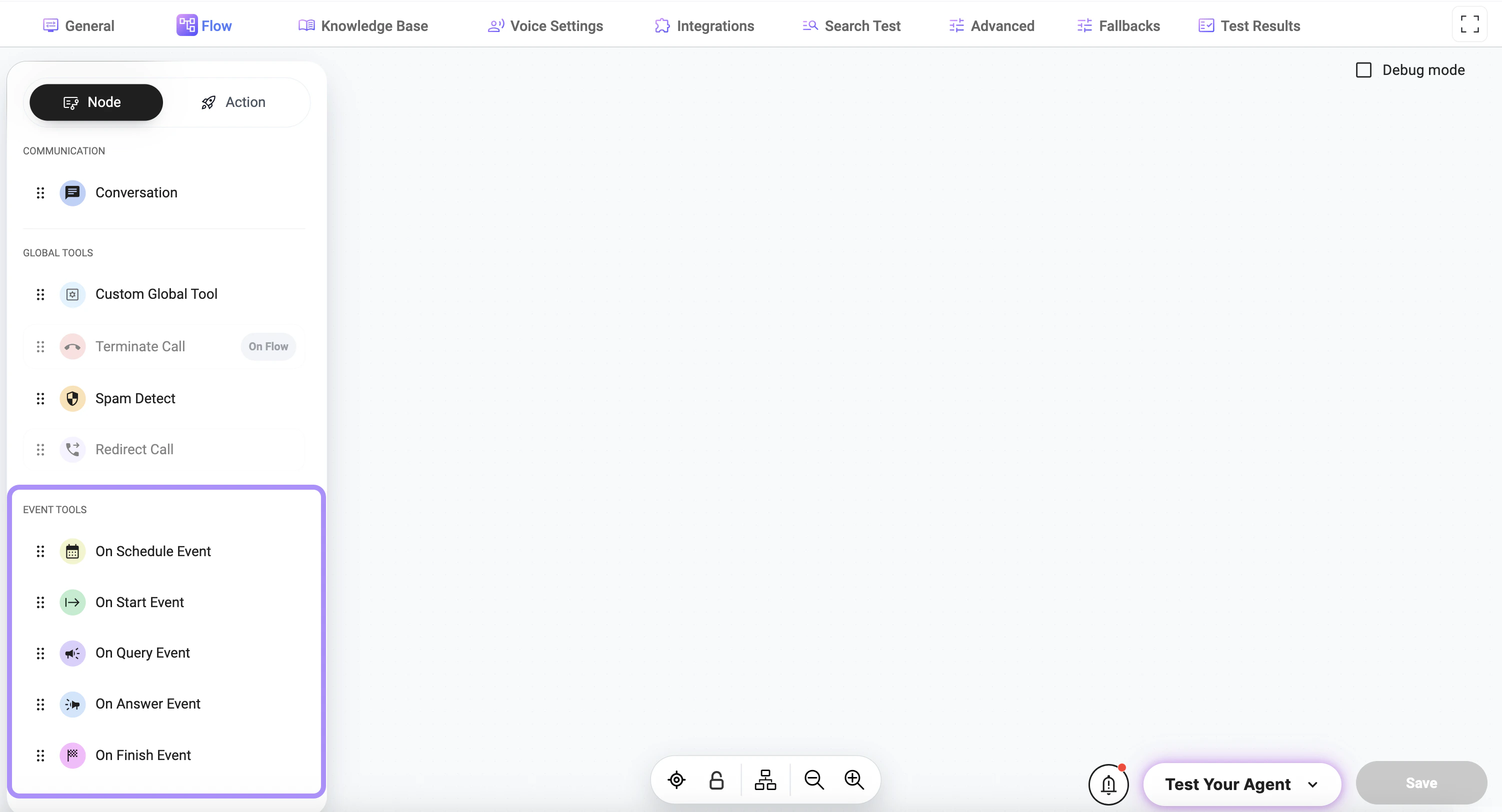
Adding Event Tools to a Node
Click the + button under the node to add a tool:- select Node
- select an Event Tool from the list
Available Event Types
- On Start Event — triggered when the interaction begins
- On Query Event — triggered when the user sends a message
- On Answer Event — triggered when the assistant responds
- On Finish Event — triggered when the interaction ends
- On Schedule Event — triggered at a scheduled time
How It Works
- The event occurs during the interaction
- The corresponding event tool is triggered
- The configured action is executed
Usage
Event tools are typically used for:- logging or analytics
- triggering background processes
- sending notifications
- executing integrations
- handling lifecycle events
Best Practices
- Use event tools only when automatic execution is required
- Avoid adding unnecessary event triggers
- Keep event logic simple and predictable
- Test event behavior across different scenarios
Notes
- Event tools run automatically and do not require manual triggering
- Multiple event tools can be attached to a single node
- Proper configuration ensures correct timing and execution of actions